5. LMU Data
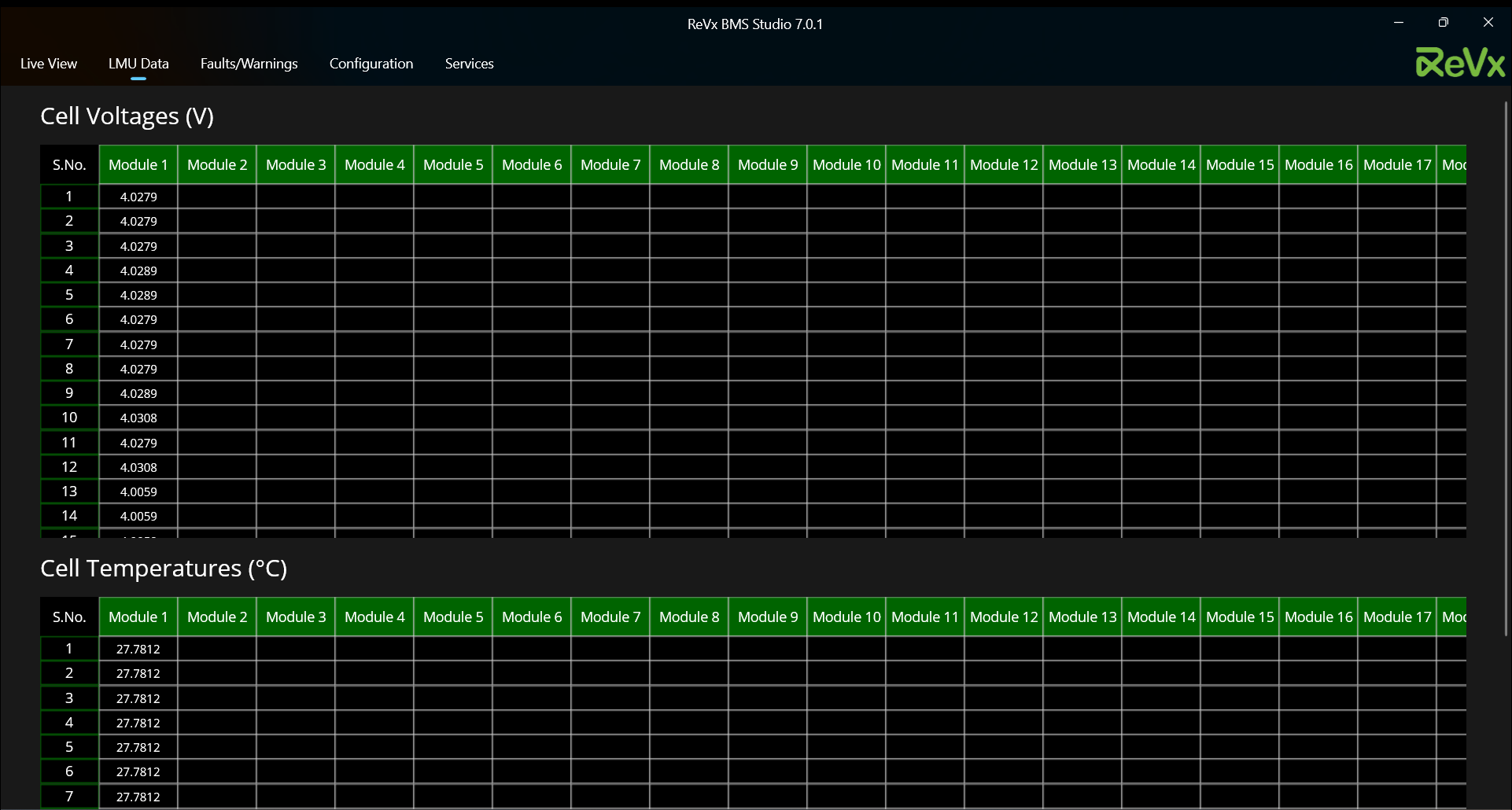
LMU Page has the following two windows:-
5.1. Cell Voltages
Unit: [ Volts ]
This window consists of current measured module level cell voltages according to their cell position in each module in the battery pack.
- If the battery is in balancing state, the cells that are being balanced will be highlighted with a green background.
5.2. Cell Temperatures
Unit: [ °C ]
This window consists of current measured module level cell thermistor temperatures according to their cell position in each module.
Note the following in relation to LMU Data page:-
- LMU data can be seen for a maximum of 36 cells per module and a maximum of 24 modules in the pack.
- Both the Cell Voltages and Cell Temperatures windows are scrollable top-to-bottom and left-to-right and vice-versa respectively.
- It is recommended that if you want to capture the instantaneous LMU data, download the Microsoft Powertoys tool on your Windows PC and then follow these steps:-
1. Search 'Microsoft Powertoys' in the windows search bar. This will open the Powertoys Dashboard.
2. Scroll down to the bottom of dashboard and enable 'Text Extractor'.
3. Open the ReVx BMS Studio and start the scan.
4. Navigate to LMU Data page.
5. Press Windows + Shift + T on your keyboard.
6. Drag the text selector over the values you want to record.
7. Those values are now copied to your clipboard and you can produce them wherever you want to.